Credentials
This section explains how to manage username and password details for logging into a device.
In a typical installation, most credentials are hidden using the Admin Only check box described below. However, when a user creates a credential, it becomes available under Step 2 of most services as a Named Credential.
Advice
These are the required fields when creating a Named Credential:
- Name: Unique identification for referencing the credential
- Role: Read and write, or read only.
- Subtype: Choose between
Username / PasswordorSSH Key. - Username: The username for both
Username / PasswordandSSH Keyconnections. - Password or Private Key: If
Subtypefrom above isUsername / Password, the field becomesPassword. IfSubtypefrom above isSSH Key, the field becomesPrivate Key. - 'Use' Access: Groups of users which will have access to these credentials.
Credential Details
When viewing or editing a credential object, there are two selectable tabs near the top: Common Properties and Access Control.
The Common Properties tab has the following properties:
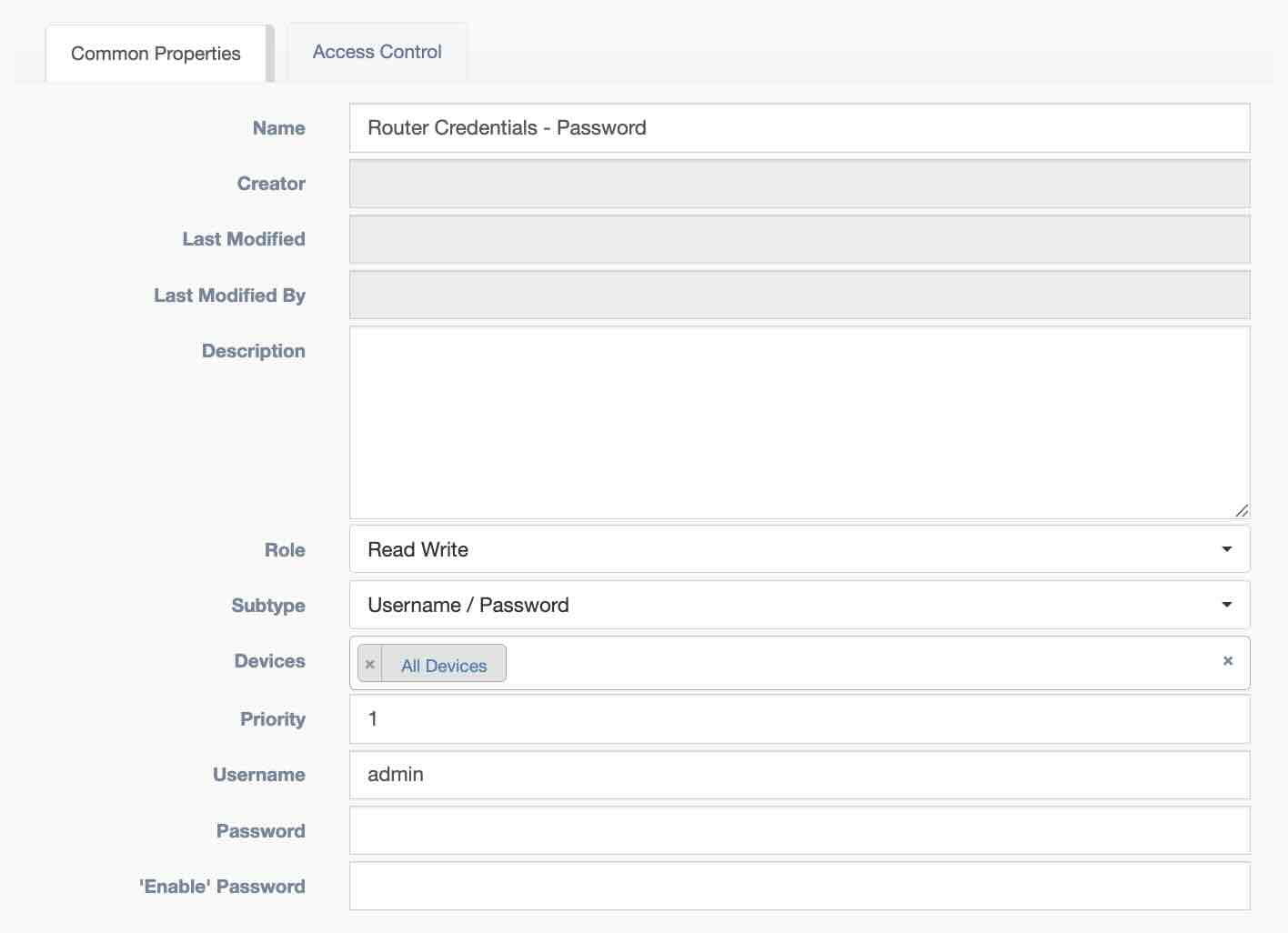
- Name: Unique identification for referencing the credential
- Creator: Auto Populated field based on the user who built the credential
- Last Modified: The date and time when the object was last updated.
- Last Modified By: The user who last updated the object.
- Description: Text field for storing notes
- Role: Read and write, or read only.
- Subtype: Choose between
Username / PasswordorSSH Key. - Devices: Pool of devices which will have access to these credentials.
- Priority: When a user has access to multiple credentials for a device, the credential with the highest priority is chosen.
- Username: The username for both
Username / PasswordandSSH Keyconnections. - Password or Private Key: If
Subtypefrom above isUsername / Password, the field becomesPassword. IfSubtypefrom above isSSH Key, the field becomesPrivate Key. - 'Enable' Password: Used by Netmiko based services when Enable mode is selected and a password is required. This is not related to device connection, but is included on the credential for Vault storage.
The Access Control tab has the following properties:
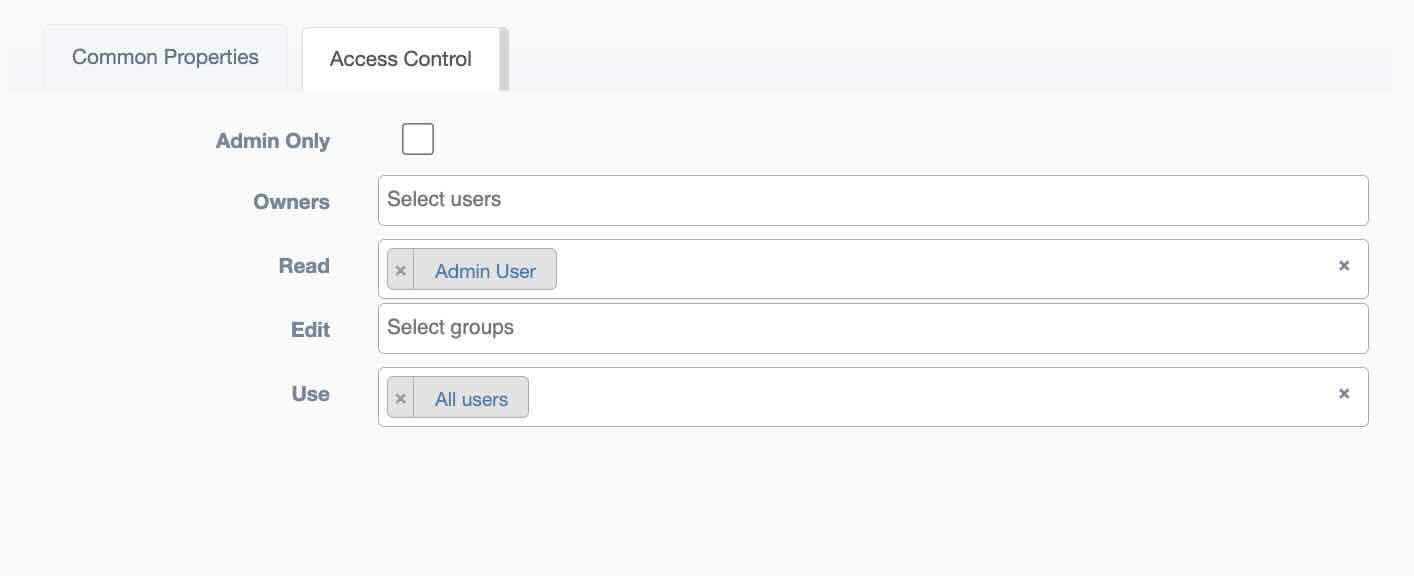
- Owners: Users allowed to modify this
Access Controlinstance - Admin Only If enabled, only admin users can view or edit this instance
- Read:
Groupsallowed to view this instance - Edit:
Groupsallowed to modify this instance - Use:
Groupsallowed to access these credentials.
Vault Details
A vault is typically used to store a device's credentials, for a production environment, Hashicorp Vault is recommended. Credentials may also be stored in the main database.