Sessions
As a security feature, eNMS stores device interactions initiated via the WebSSH Connection feature into Session objects. Access to Sessions is RBAC-controlled. By default, the user who initiates a Session is set as the owner of the Session object. The “Read” access field is left empty (no groups assigned).
Users can use the System -> Sessions page to view the Session data:
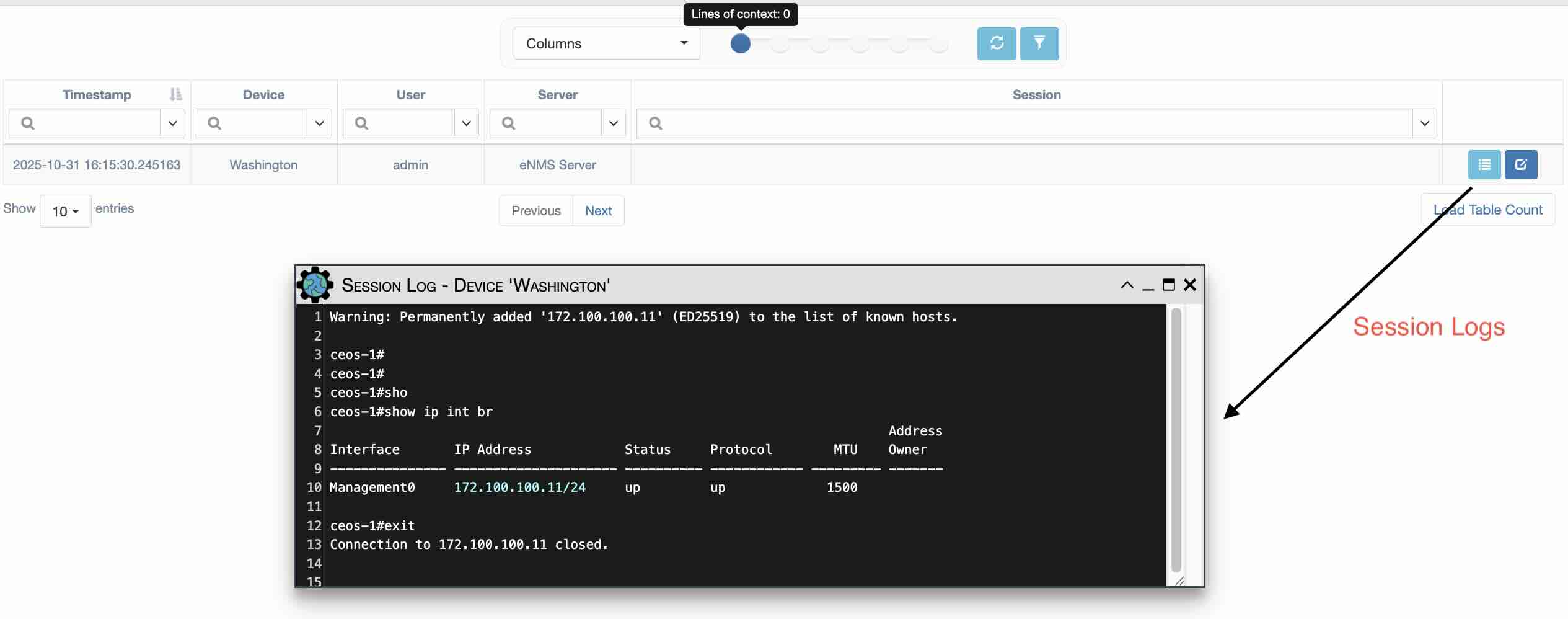
Users can search the content of all sessions using the Session field in the table, just like with device configurations.
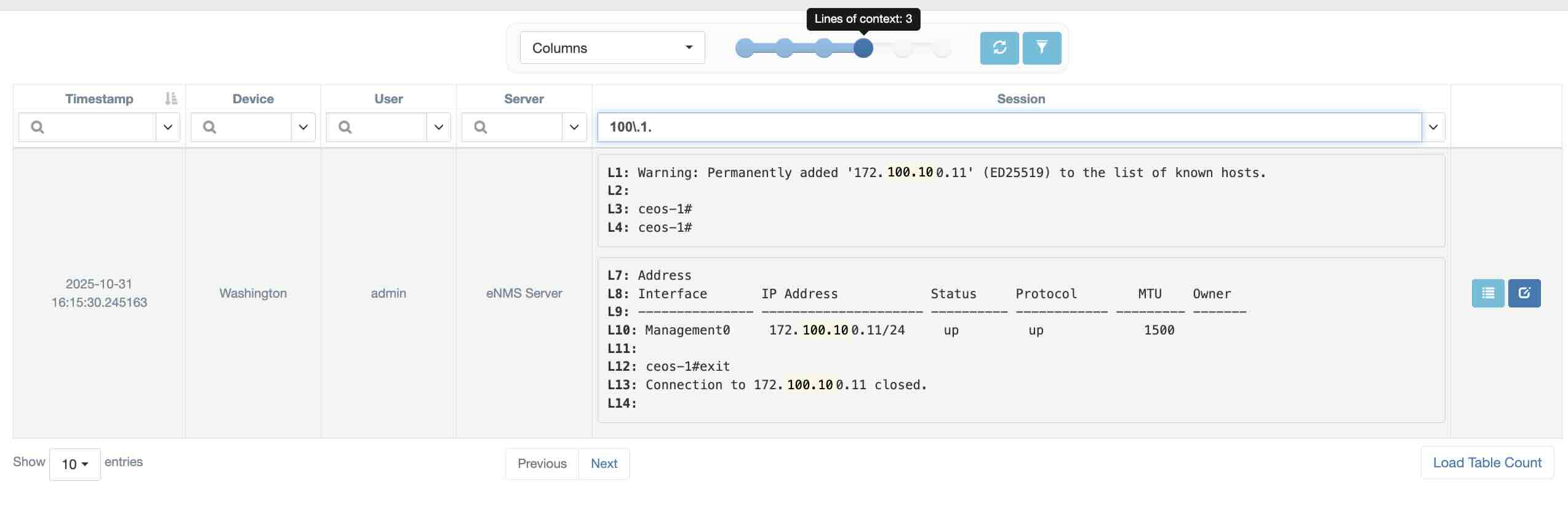
At the top of the table, you can adjust the number of lines of context to display, from 0 to 5.
Here’s an example of a search using the regular expression 100\.1. (with the filter set to “Regular Expression” for the “Session” column):