Netmiko Commands Service
Uses Netmiko to send a command to a device to
determine the state of that device. See the Workflow section for
examples of how it is used in a workflow.
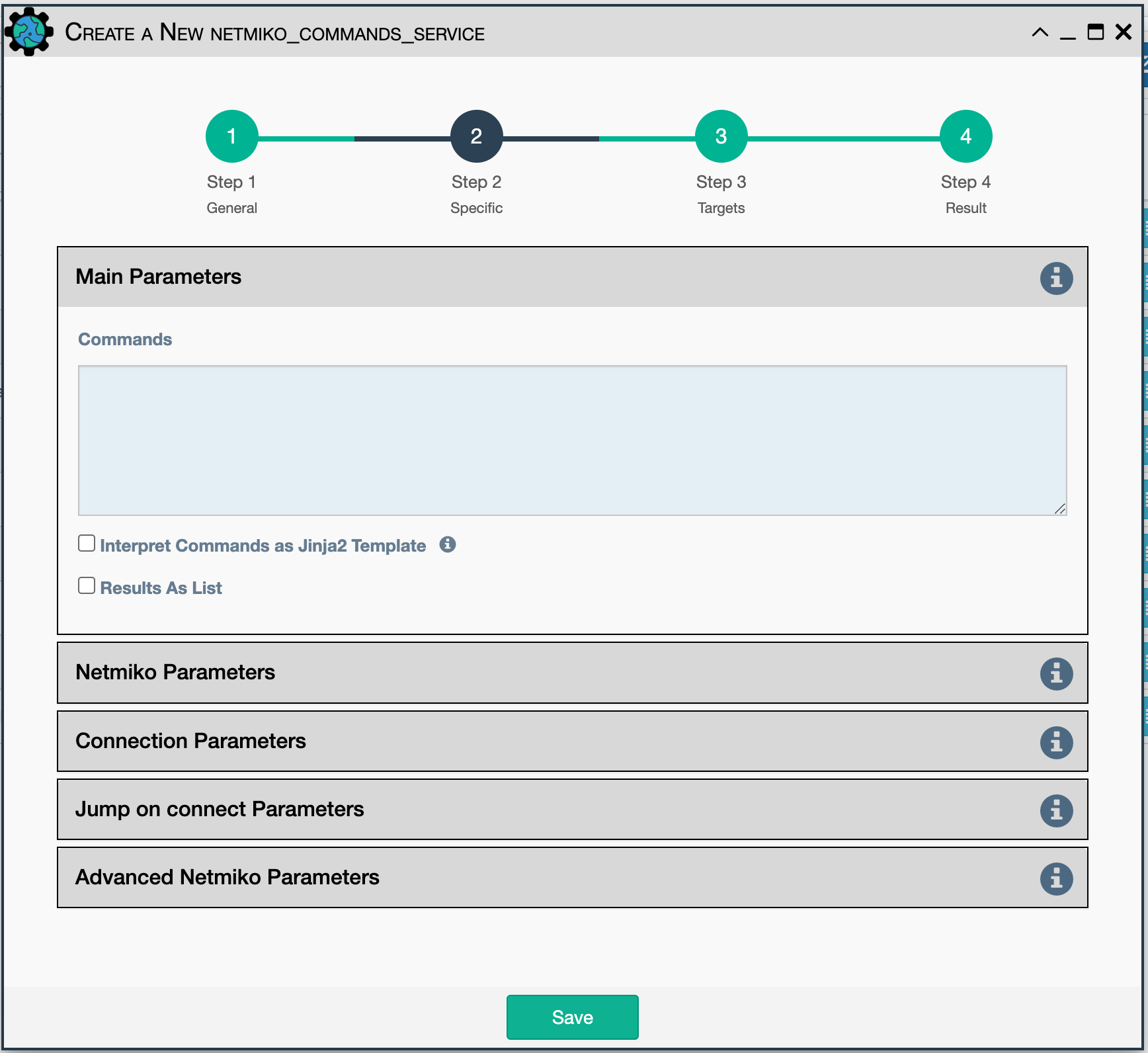
Each command is sent to the device and the output is saved as the
service result. eNMS collects output from each command until
either the prompt or the expect string is matched in the output, or until
the timeout has elapsed.
While output processing is simpler when a single command is specified, the service supports sending multiple commands as a single service. The same configuration parameters are used for each command.
By default, the output from all commands is returned as a single string.
When multiple commands are specified, a header is prepended to the output
to help identify which output is from which command. Results from each command can also be returned as a list, using the
Results As List option.
Configuration parameters for creating this service instance:
-
Commands: Command(s) to be sent to the device, with each command on a separate line. -
Interpret Commands as Jinja2 Template: If checked, the service will expect that the commands are embedded in a Jinja2 template in the Commands field. The system will render that Jinja2 template using device properties to obtain the set of Commands. This is useful when iterating commands over properties of the device, such as its interfaces. Results as List: If checked, store the command output as a list of individual string results. By default, all output is returned as a single string, with a COMMAND header prepended when multiple commands are specified.
Also included in Netmiko Advanced Parameters:
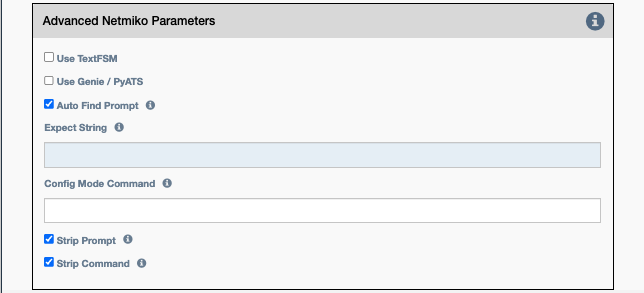
Use TextFSM(for automatic parsing): Causes Netmiko to try and match the command to a TextFSM template pointed to in the system by theNET_TEXTFSMenvironment variable. The Network to Code project maintains a repository of TextFSM templates for popular network devices here in the ntc_templates/templates folder here If the command is found to match an existing template, the system will automatically convert unstructured results data to structured/dictionary data for you. This saves the user from having to parse the result data.Use Genie / PyATS(for automatic parsing): Causes Netmiko to try and match the command to a Cisco Genie/PyATS template in the system. The Cisco Genie/PyATS supported hardware vendors, models and commands can be referenced here by clicking on 'Available APIs'. If the command is found to match an existing Genie/PyATS API, the system will automatically convert unstructured results data to structured/dictionary data for you. This saves the user from having to parse the result data.Auto Find Prompt: Tries to detect the prompt automatically. Mutually exclusive withExpect String.Expect String: Regular expression that signifies the end of output.Config Mode Command: The command that will be used to enter config mode.Strip command: Remove the echo of the command from the output (default: True).Strip prompt: Remove the trailing router prompt from the output (default: True).
Note
Expect String and Auto Find Prompt are mutually exclusive; both
cannot be enabled at the same time. If the user does not expect Netmiko
to find the prompt automatically, the user should provide the expected
prompt instead. This is useful when the CLI command sent via Netmiko
causes the prompt to change, or when restarting and no prompt is expected.
Note
This service supports variable substitution in some input fields of its configuration form.